I never planned to build a design team operating system.
I was simply looking for a better way to manage projects and tasks.
Like many teams, we started with Jira. It was powerful, but also too heavy for the way our design team worked. We then moved to Trello, which was much simpler, but eventually we needed more than task tracking. We needed a place for knowledge, reports, documentation, and team collaboration.
That’s when I remembered how my previous design team used Notion as a shared workspace. Its flexibility meant I could build the workspace around our team, instead of changing the team to fit the tool.
So I started with just Projects and Tasks.
Looking back, that simple workspace gradually evolved alongside the team into what eventually became our Design Team Operating System.
Every new page started with the same question:
Has this information already been written somewhere?
If the answer was yes, I linked it instead of rewriting it.
That small habit gradually shaped the entire workspace. One source of truth, connected across projects, reports, dashboards, and reviews.

What started with just Projects and Tasks gradually expanded as the team grew. Every new page solved a real problem, and over time those pieces naturally came together into one connected system.
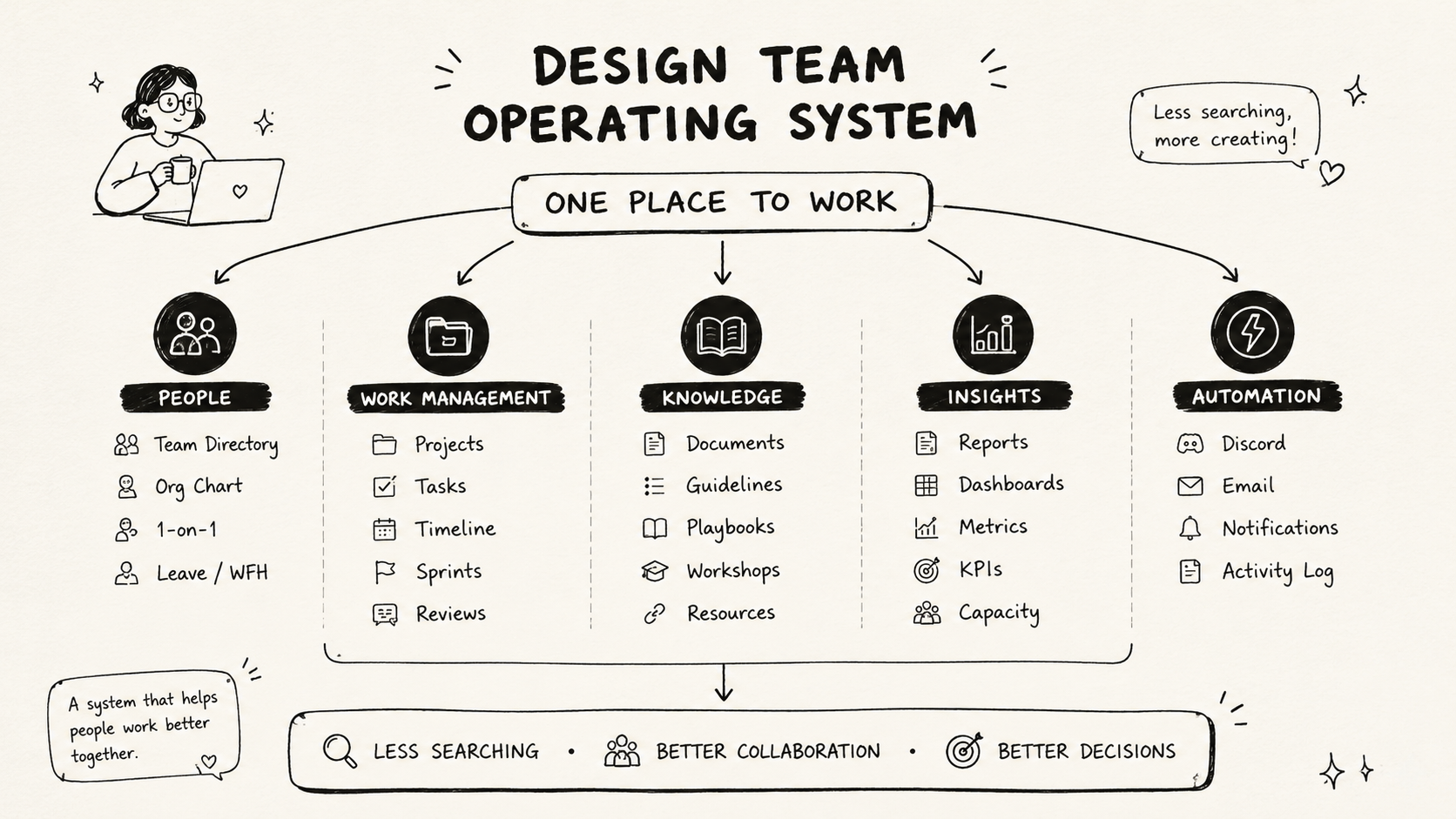
Today, The Ship is organized into five areas: People, Work Management, Lead Insights, Knowledge Hub, and Automation. Each serves a different purpose, but together they support how our team works, collaborates, and grows every day.
SPACESHIP: ONE PLACE TO START
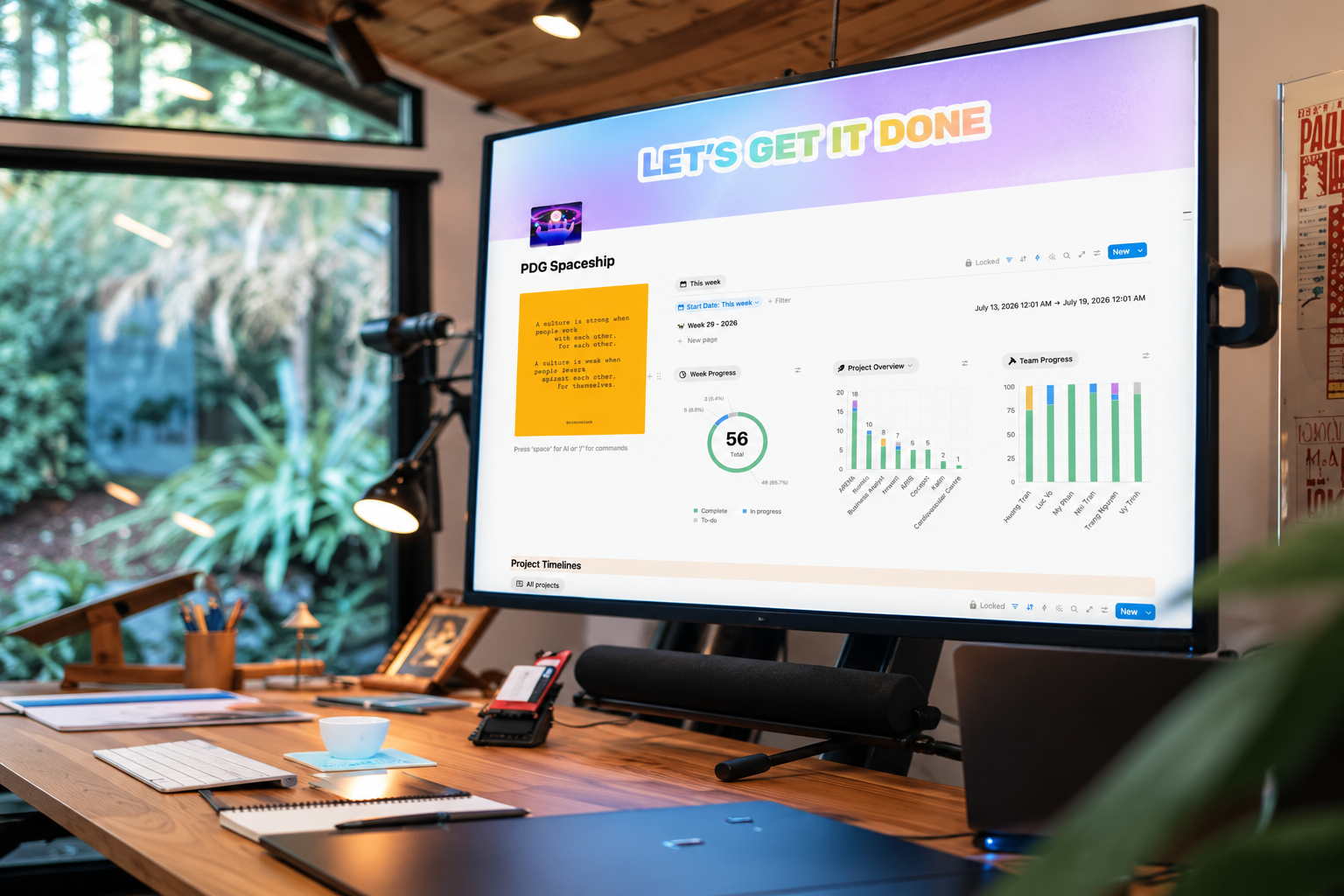
Every morning starts here.
Spaceship is simply the team’s homepage. Whether you’re checking a project, submitting a report, reading documentation, or planning your week, everything starts from one place.
It sounds simple, but having a clear starting point removed a surprising amount of daily friction.
TASKS WITH CONTEXT
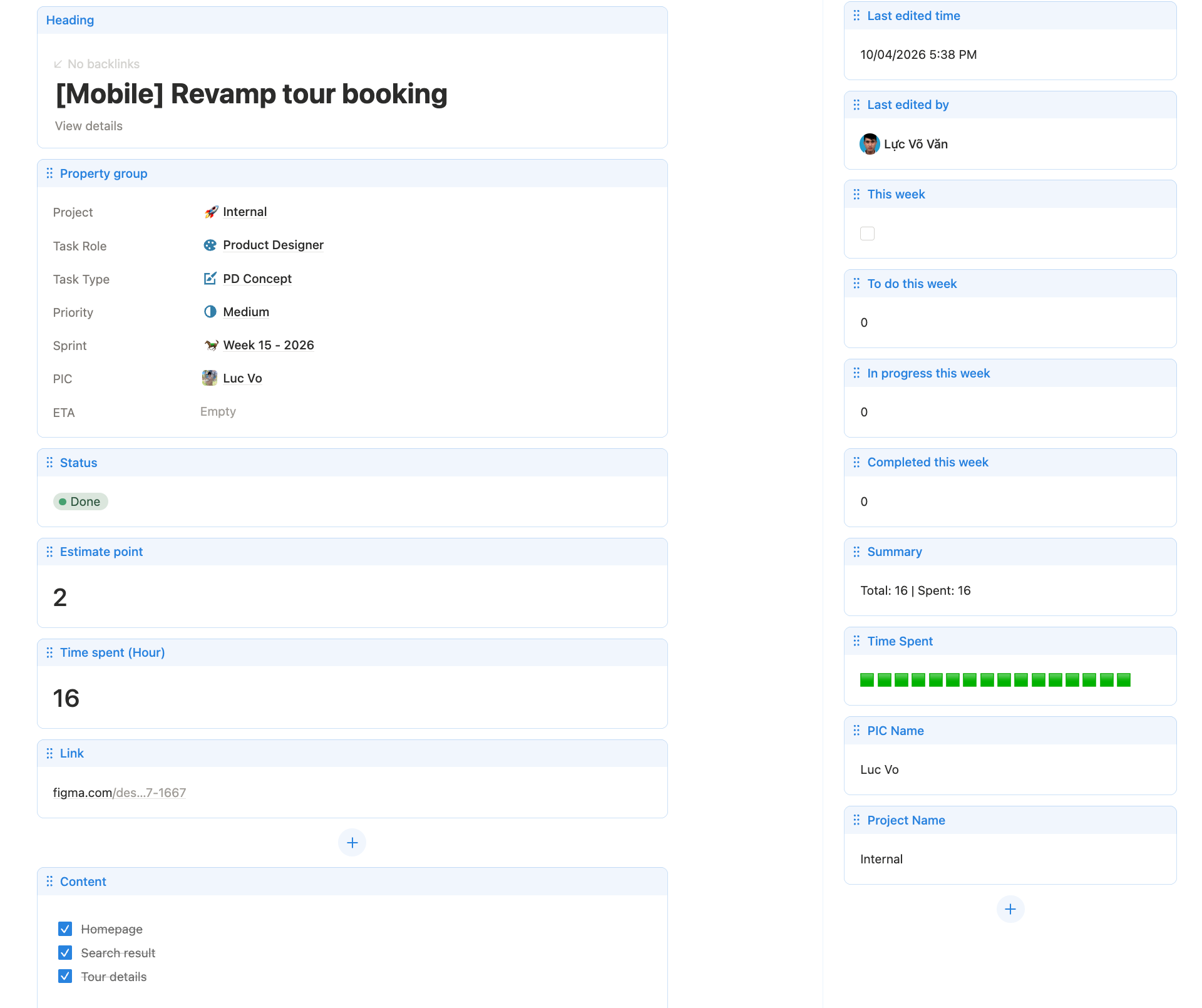
A task shouldn’t just tell you what to do. It should explain everything you need to get started.
Each task brings together the project brief, priorities, timeline, design links, and discussions in one place. We also capture both the estimated effort and the actual time spent, giving the team a simple way to learn from past work and make better estimates for future projects.
We originally estimated work with story points, but later switched to hours as the team found it easier to reflect and compare planned versus actual effort.
LEAD DASHBOARD
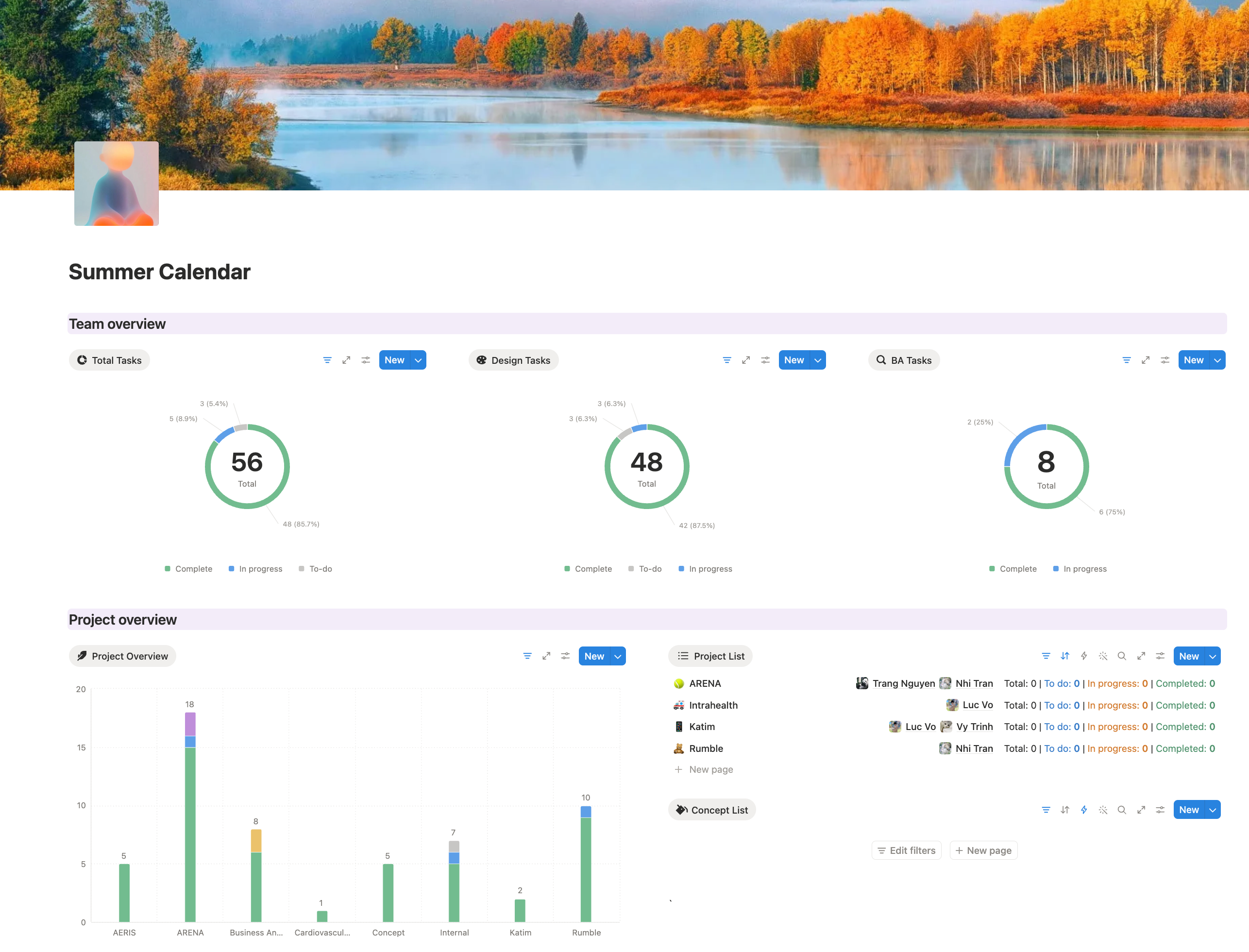
Managing a team isn’t about knowing what everyone is doing every minute.
It’s about seeing the bigger picture.
The Lead Dashboard gives me a quick overview of workload, delivery, and team health, so I can spend less time gathering information and more time helping the team solve problems.
THE SMALL AUTOMATIONS
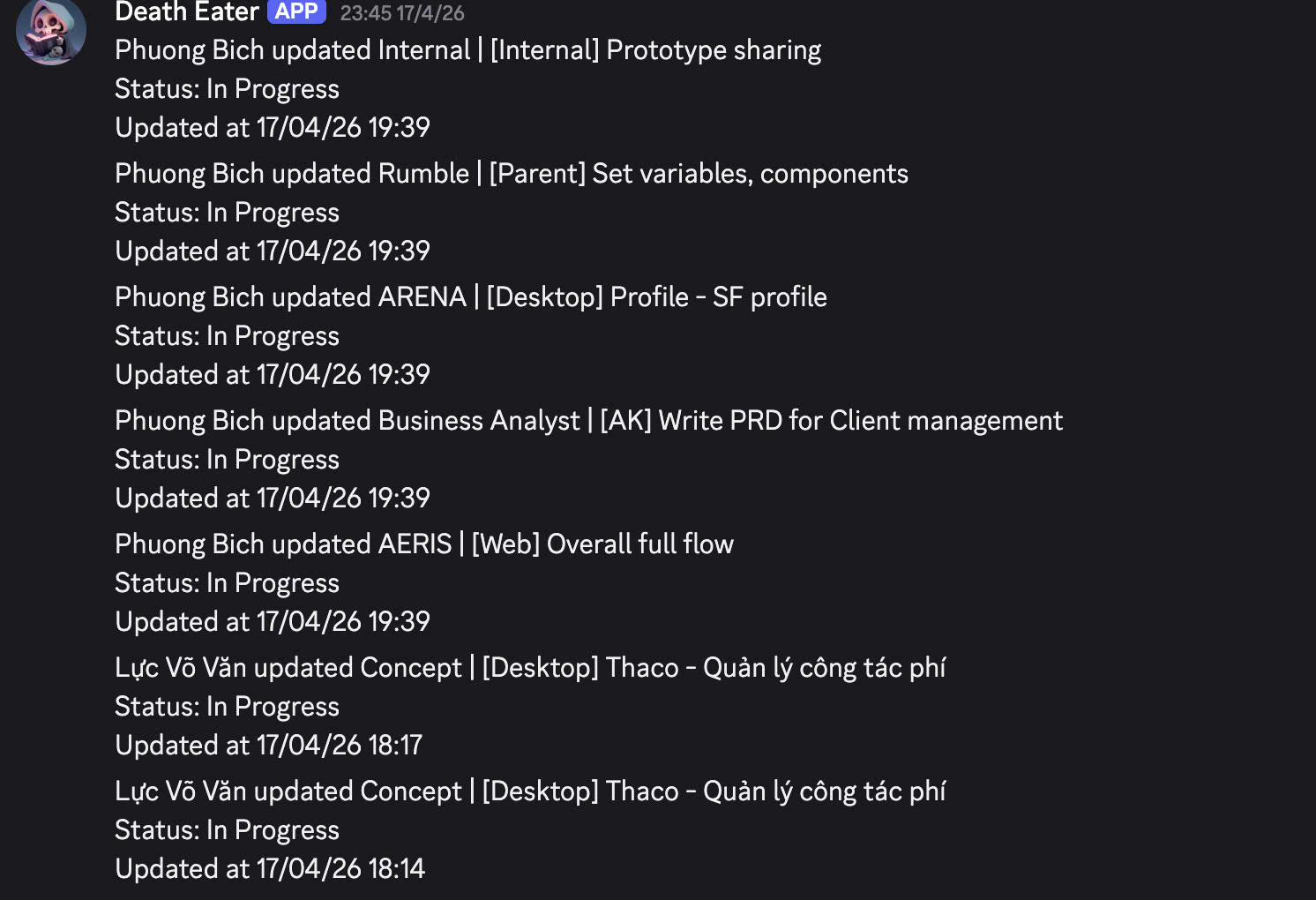
The automations themselves are actually quite simple, but they’ve probably saved the team the most time.
Whenever someone creates a task, updates its status, submits a weekly report, or requests leave, a notification is automatically sent to our Discord channel. Instead of opening Notion to check what changed, everyone stays updated in real time.
As a lead, I also found these notifications surprisingly useful. Beyond keeping the team aligned, they create a lightweight timeline of activities, making it much easier to understand what happened whenever questions about progress or delivery come up.
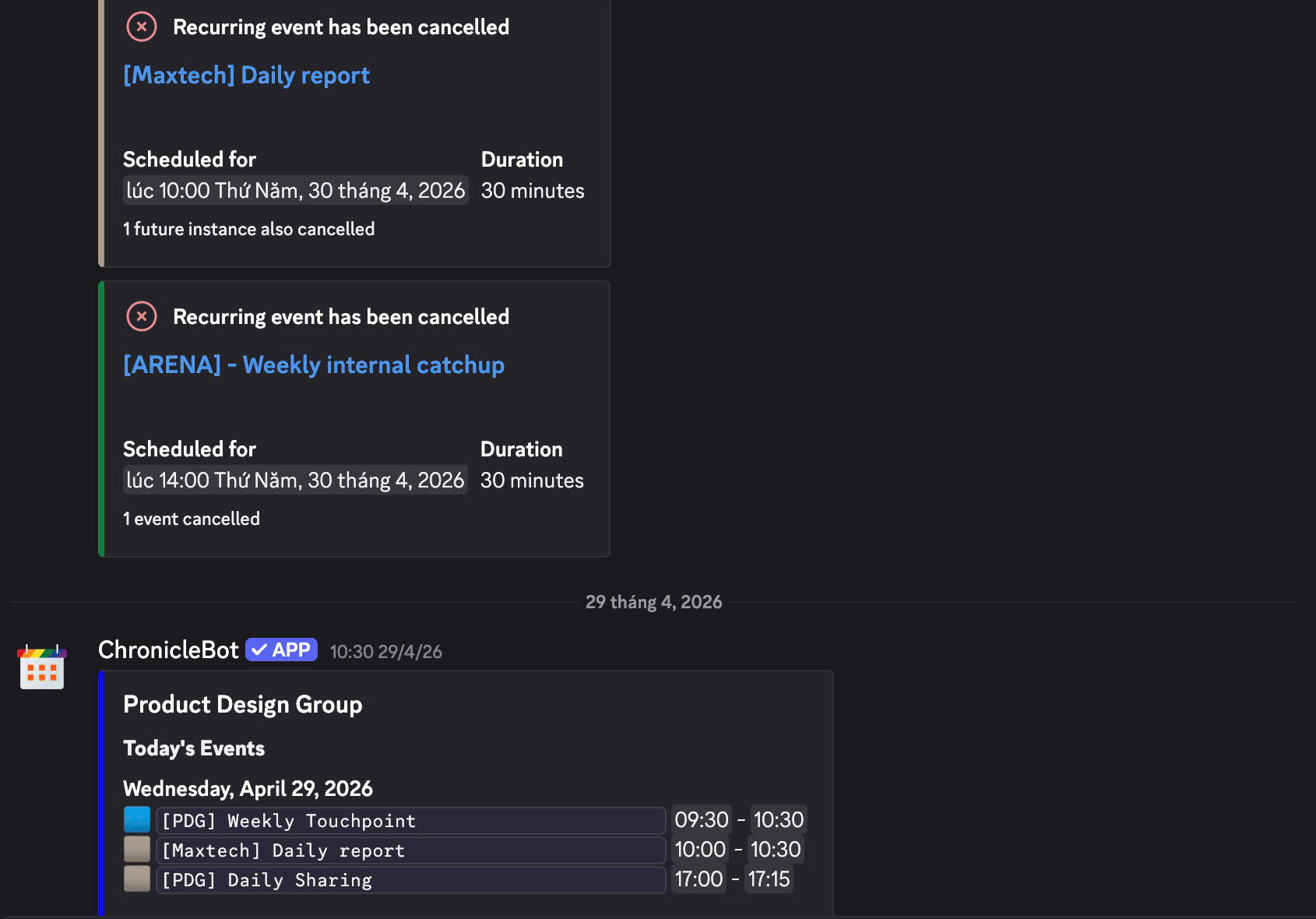
The workspace doesn’t stop at tasks.
By connecting Notion Calendar with Discord, the team automatically receives a daily schedule summary, along with updates whenever meetings are created, changed, or cancelled. It’s a small addition that keeps everyone aligned without needing to check multiple tools.
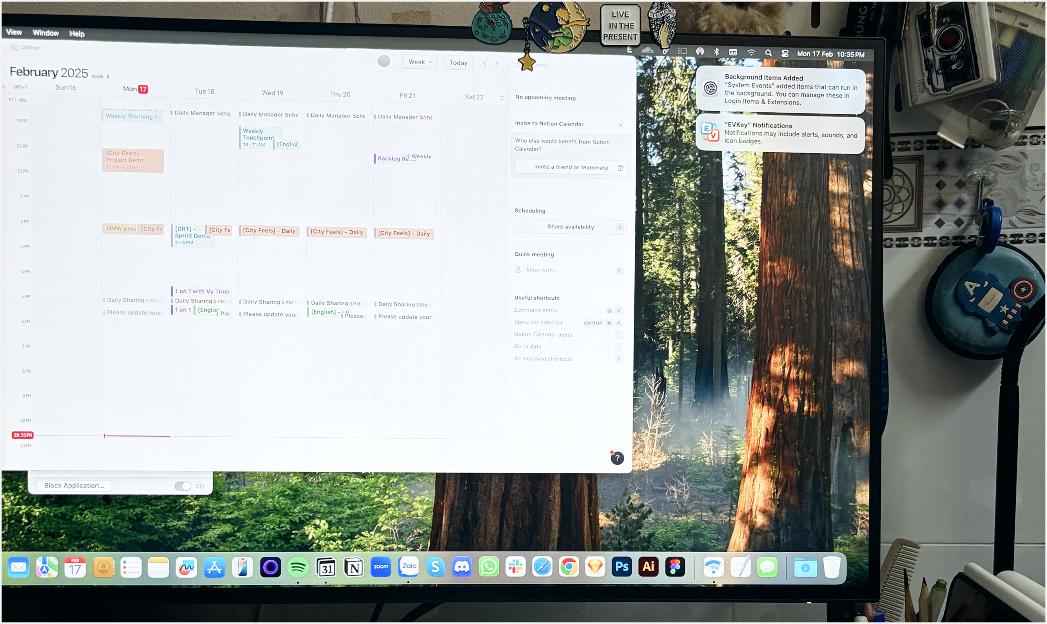
My Desk - Calendar view
Building The Ship changed the way I think about leadership.
Good leadership isn’t about adding more processes or keeping track of every detail. It’s about creating an environment where people can focus on their work instead of the work around the work.
The Ship is just one example of that mindset. The tool itself may change someday, but I’ll always believe that thoughtful systems can help teams collaborate better, learn faster, and grow together.
At the end of the day, The Ship was never about Notion. It was about giving the team a where work, knowledge, and people could together.